How FORK works.
Register your project, build on an existing one, and send a fixed share of incoming SOL back to the work you depend on.
FORK combines a project registry with a revenue splitter on Solana. A root project starts a new tree. A fork names an existing project as its parent and proposes an upstream share. The parent’s creator must approve that relationship before the fork becomes active.
Lineage
A visible tree of projects and parent-approved forks.
A vault per project
A dedicated on-chain address receives the project’s SOL.
A fixed split
Distribution follows the recipients and percentages recorded at creation.
The registry program is deployed on devnet for transactions with test SOL. Automatic Pump creator-fee routing is not enabled. This interface does not submit mainnet transactions.
Try a complete flow on devnet.
- Connect a devnet wallet.
Set your Solana wallet to devnet, get test SOL from the faucet, then click Connect wallet.
- Pick a project in the registry.
Select any active project. Its details show the vault balance, the recorded distribution and the upstream share.
- Fund, then distribute.
Click Fund vault, choose an amount of test SOL and approve the transfer in your wallet. Then click Distribute: the vault empties, the split is paid out and the same flow continues through its ancestors.
- Propose your own fork.
Click Fork this project, enter a name, symbol and a public GitHub URL, choose a share and review the transaction in your wallet. The fork stays pending until the parent authority approves it from the Approvals page.
Every action is a real devnet transaction signed by your wallet. Test SOL has no value; mainnet is never used.
Open the registryBrowse the registry.
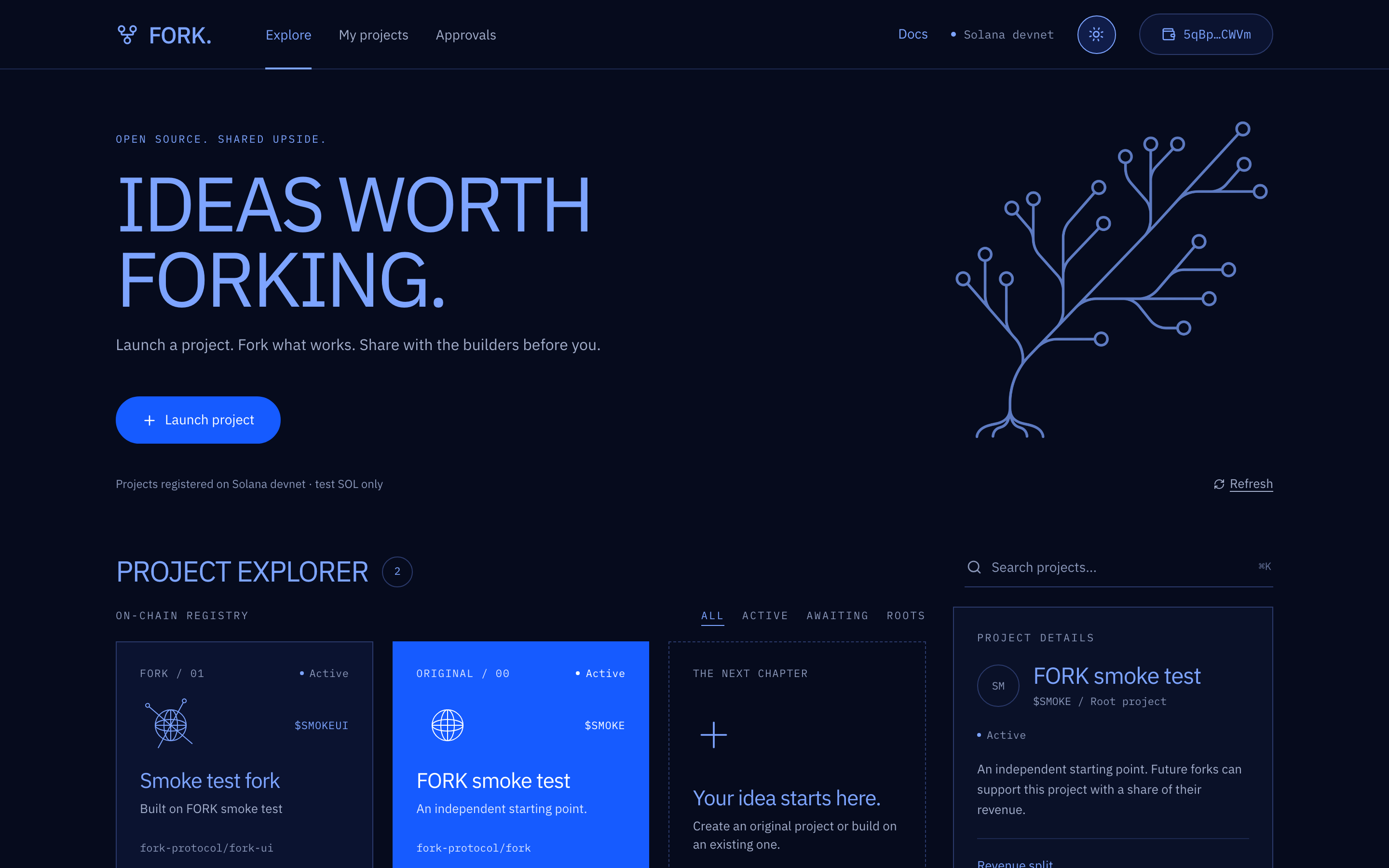
The home page reads the devnet registry as soon as it opens. No wallet is needed to explore. The navigation bar switches between Explore, My projects and Approvals, and the badge on the right reminds you that every figure comes from Solana devnet.
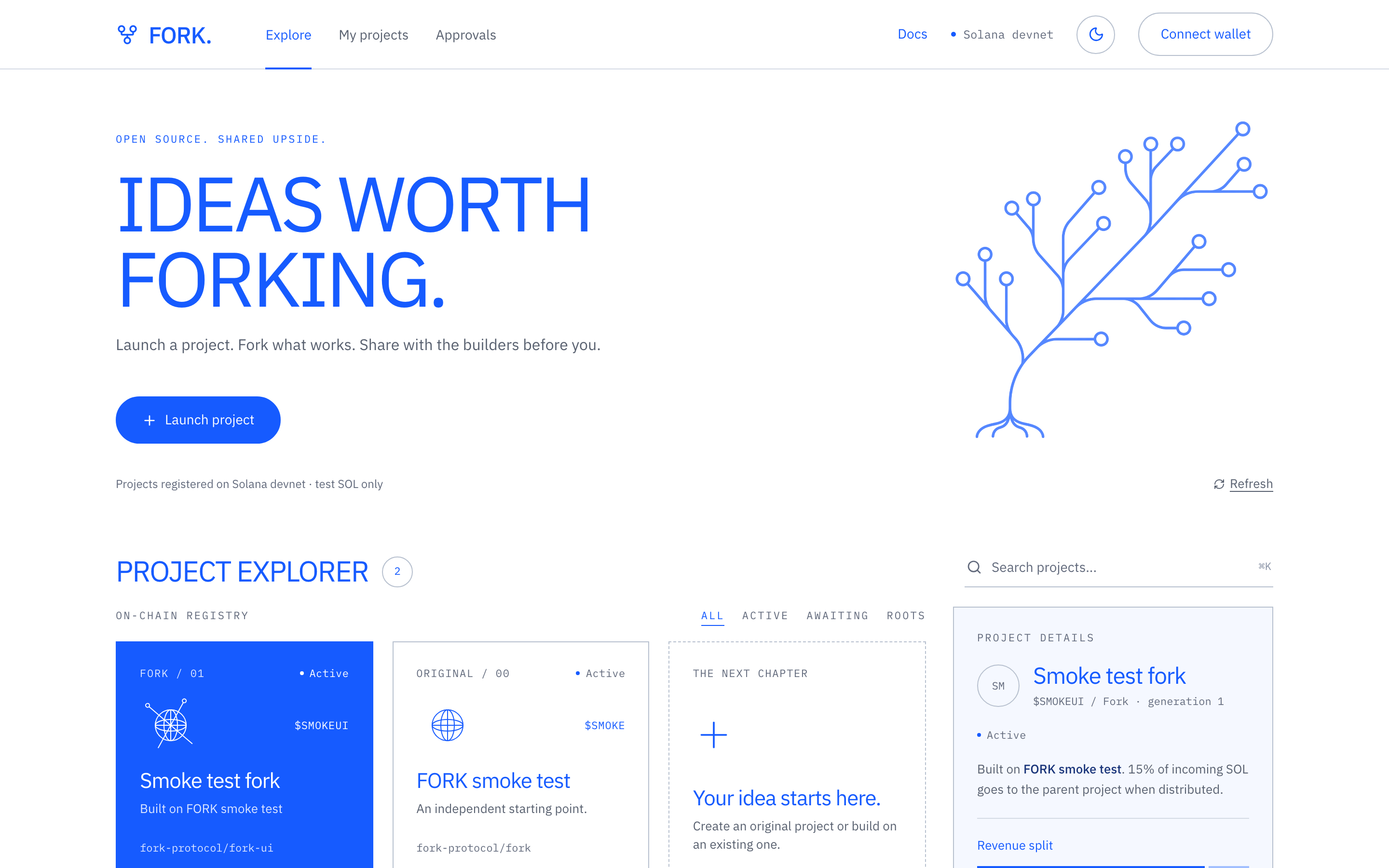

The project explorer lists every registered project as a card. Each card shows whether the project is an original or a fork, its status, symbol, repository, the SOL it has distributed so far and the share it sends upstream. Click a card to open the project’s page.
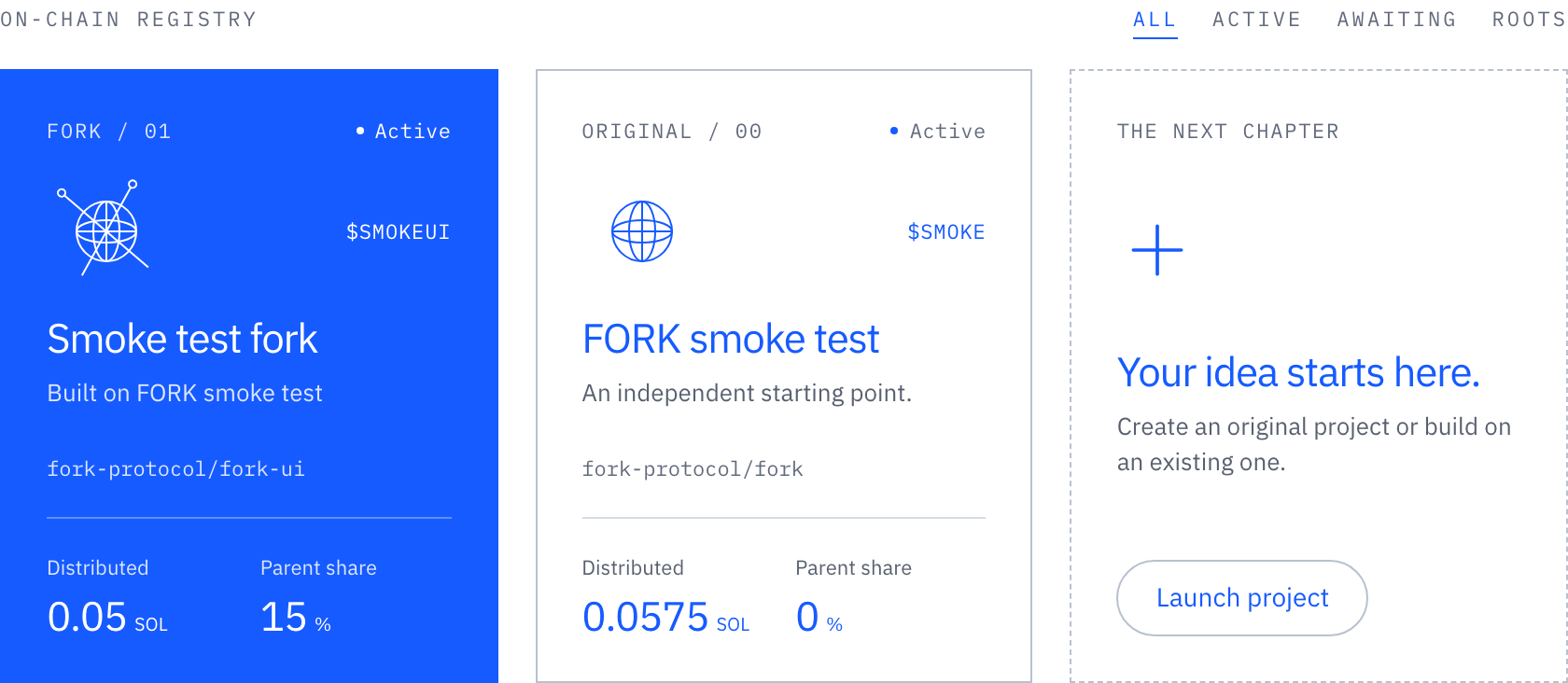
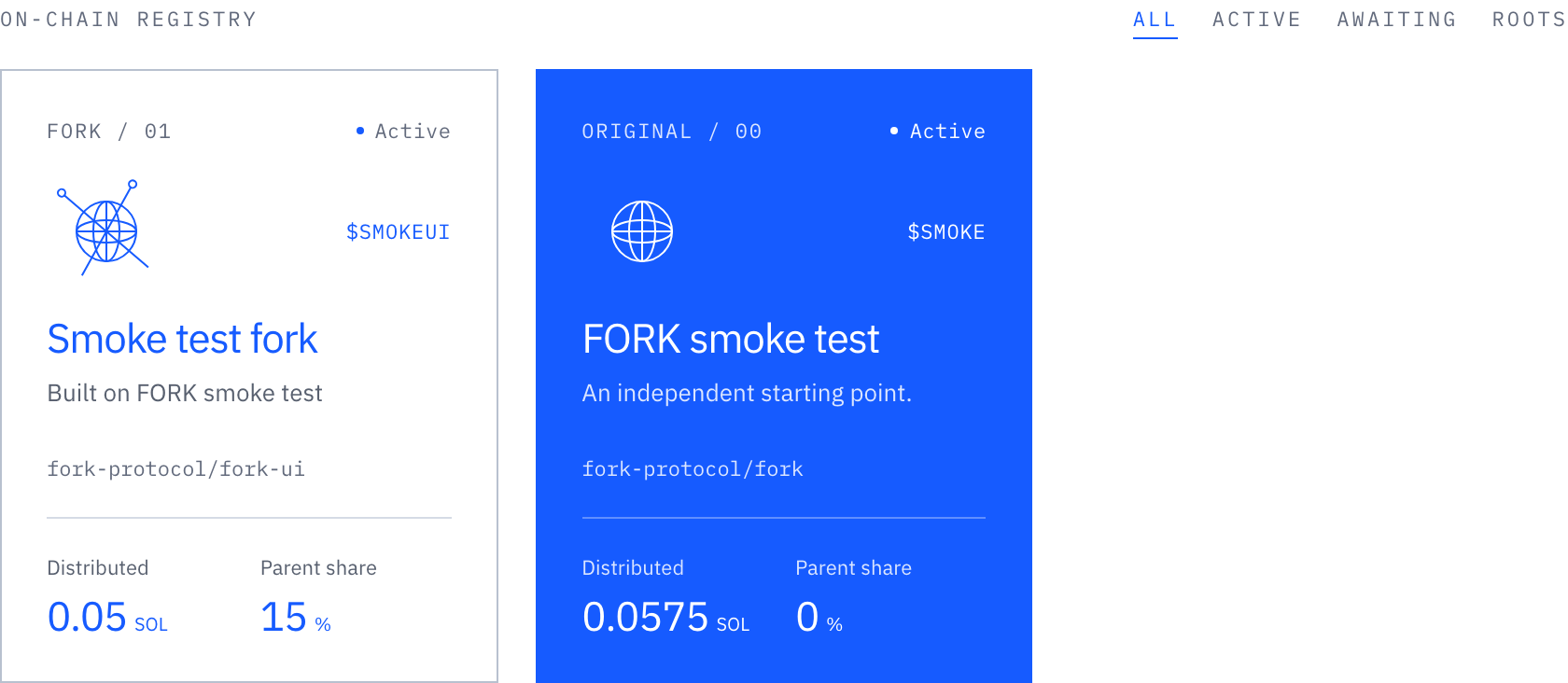
Use the search field (or press ⌘K) to filter by name, symbol or repository. The All, Active, Awaiting and Roots filters narrow the list by status.
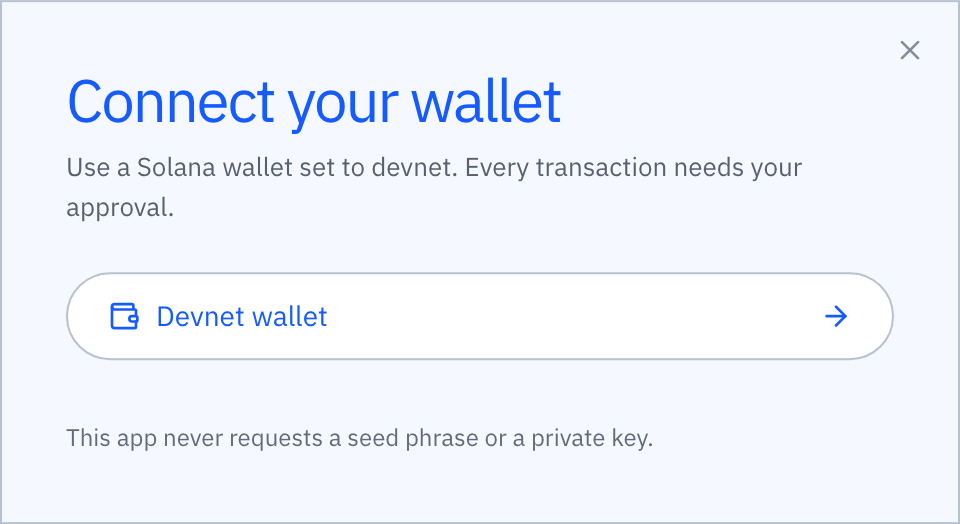
Connect a devnet wallet.
Creating, funding, distributing and approving all need a Solana wallet that supports the Wallet Standard, switched to devnet. Click Connect wallet and pick a wallet from the list. If nothing is listed, open FORK in a browser with a wallet extension, or in the wallet’s own browser.
After approving the connection in the wallet, the button shows your shortened address. Clicking it again disconnects. The wallet name is remembered so the next visit reconnects silently. Get test SOL from the Solana faucet before sending transactions.

Read a project’s details.
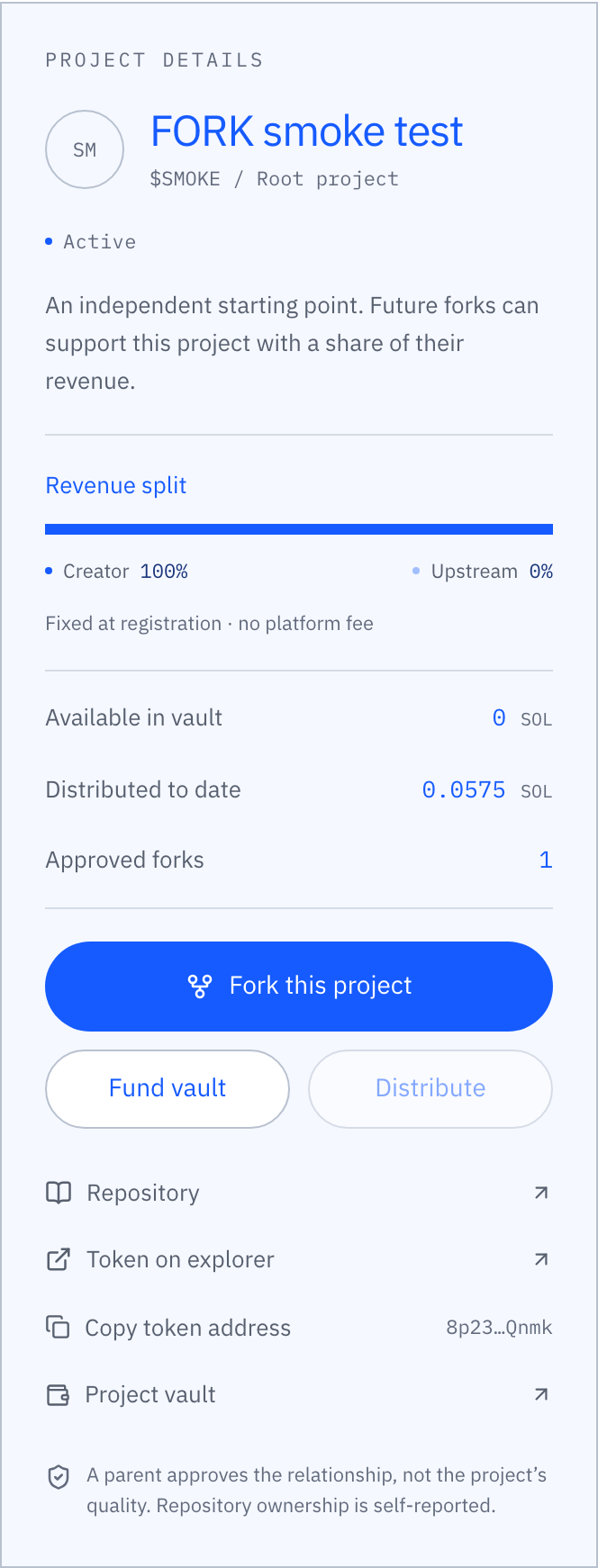
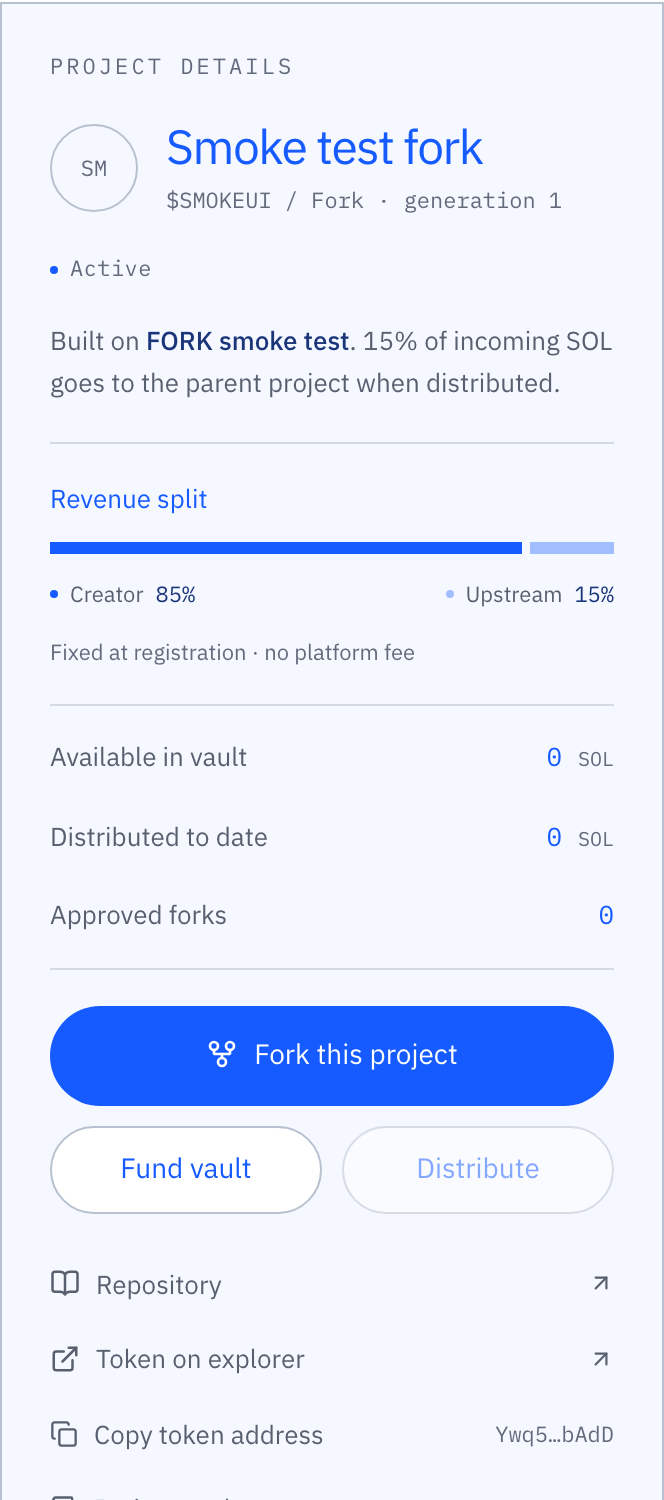
Every project has its own page, the control centre for that project. The header shows its name, symbol, generation, status and the relationship to its parent, followed by its lineage graph and the forks built on it. The details panel beside them holds the recorded revenue split, the vault figures, the available actions and links to the repository, the token and the vault on Solana Explorer.
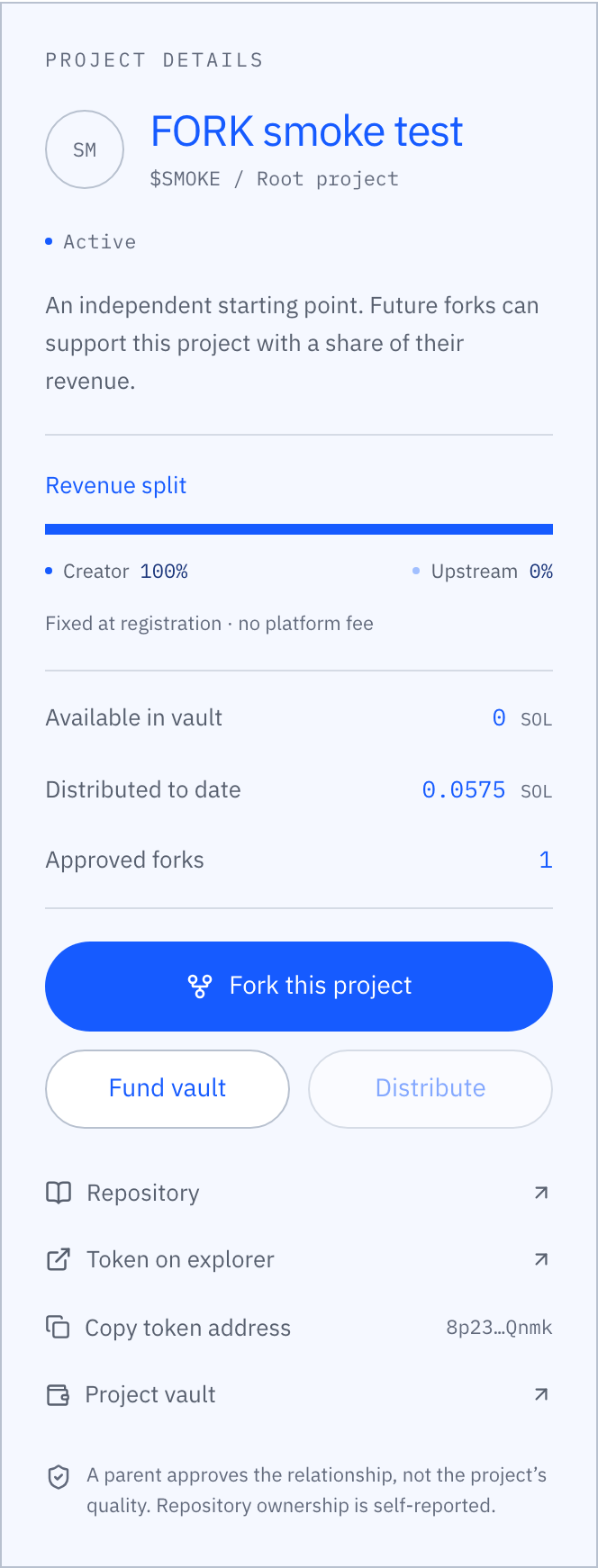
Vault figures
Available in vault is the SOL waiting to be distributed, excluding account rent.
Distributed to date is the gross amount that has already left this vault, including its upstream share.
Approved forks counts active children. Each one sends part of its own revenue back here.
Explorer links
Repository opens GitHub. Token on explorer and Project vault open the on-chain accounts, so every figure can be verified independently.
Fund a vault, then distribute.
Click Fund vault on an active project. Enter an amount of test SOL or use a preset, then click Review transfer in wallet. The dialog restates the split that will apply when the vault is distributed. Funding is irreversible.
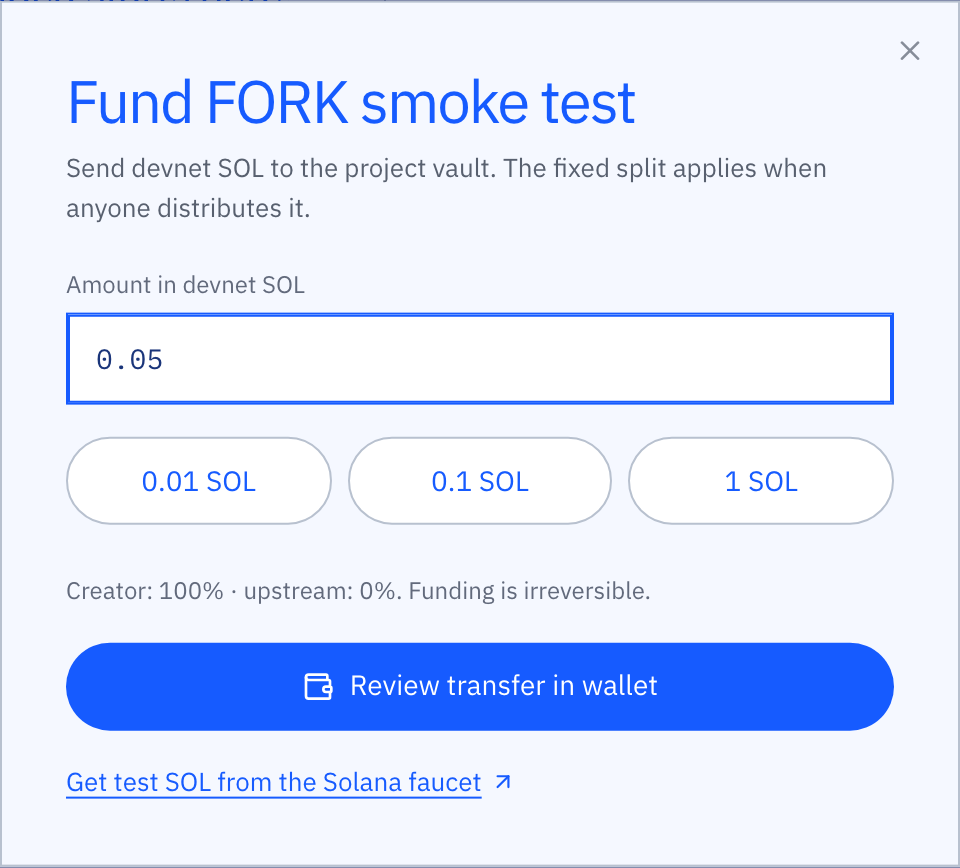
Once the wallet signs, the app broadcasts the transaction and waits for confirmation. A banner at the top of the page links to the transaction on Solana Explorer.

The vault now shows the deposited amount and Distribute is enabled. Anyone can click it; the caller pays the network fee and cannot change the recipients. The upstream share goes to the parent vault and the remainder to the creator wallet.
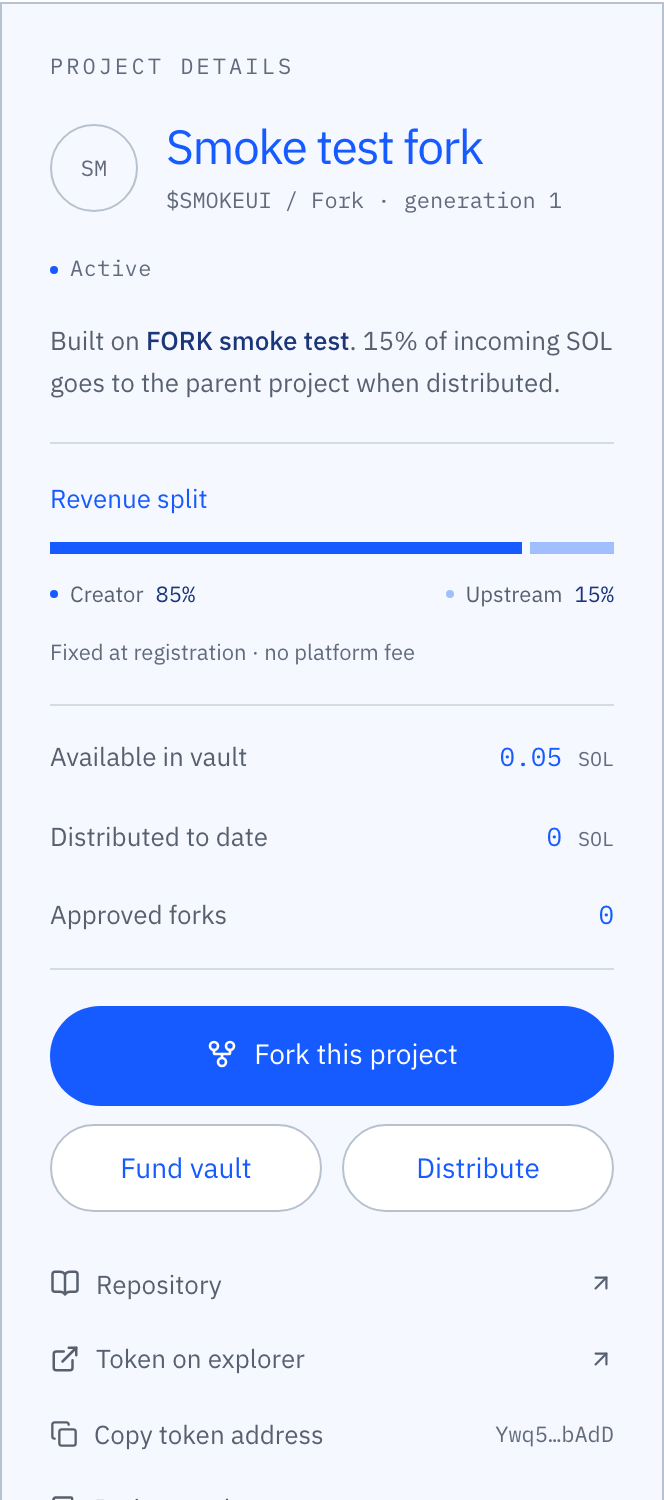
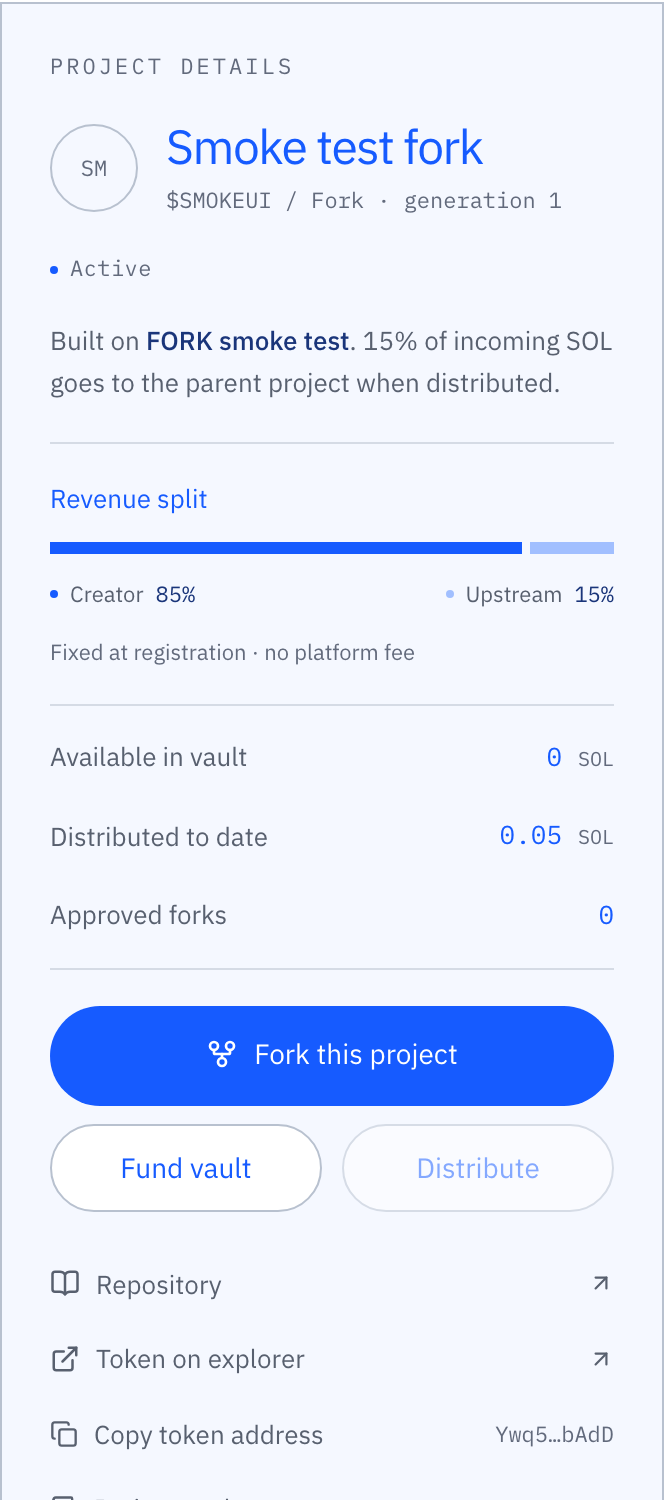
Propose a fork.
Select the project you build on and click Fork this project. The form pre-selects it as the parent. Enter a name, a symbol and the public GitHub repository of your fork, then click Check so the app can confirm the repository is public, not archived and carries an open-source license.
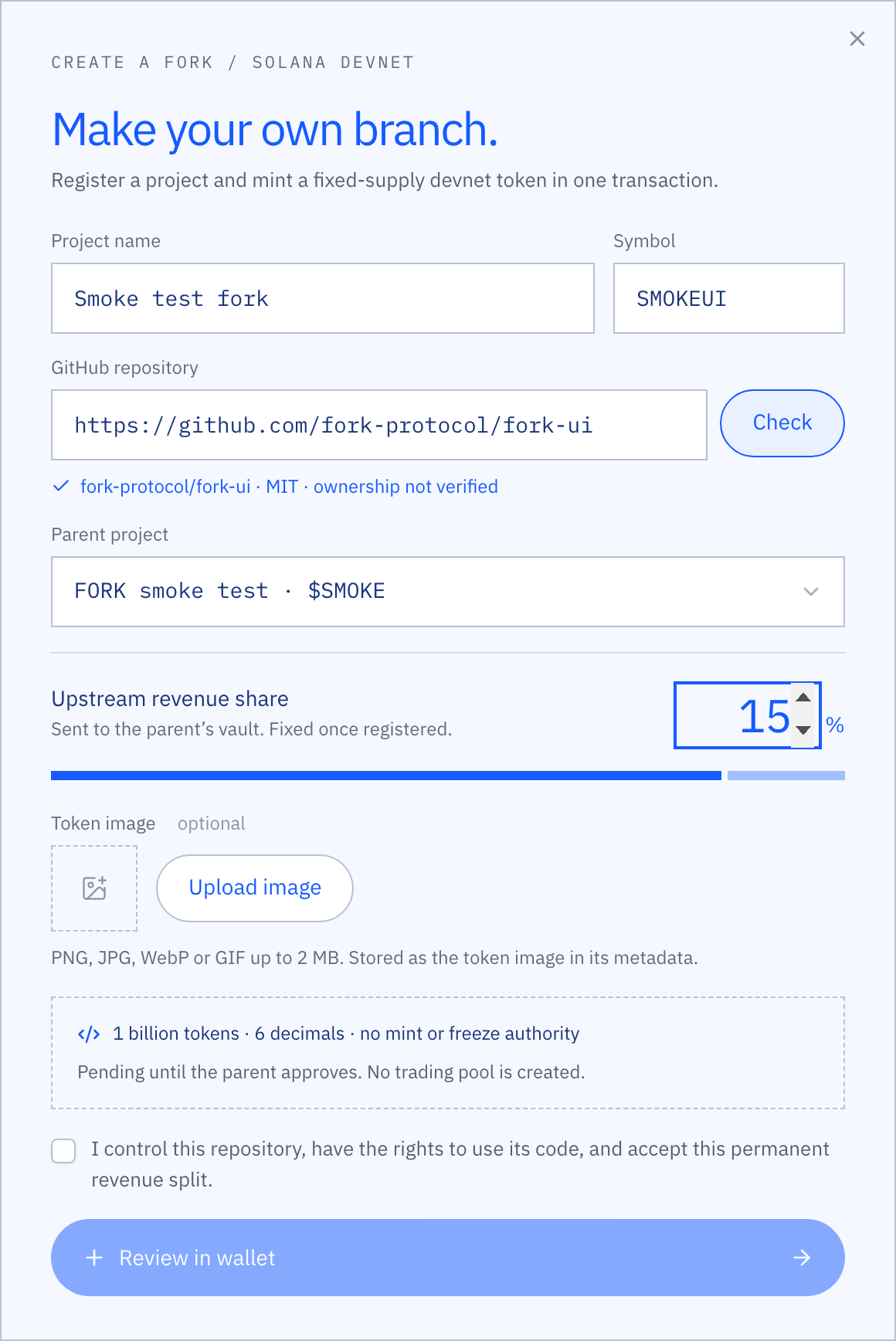
Choose the upstream share. It is fixed once registered, so review it carefully. The consent checkbox must be ticked before the button to review the transaction in your wallet becomes active. Launch project in the header does the same for a root project, with no parent and a 0% share.

After confirmation the fork appears in the registry with the status Awaiting parent. Funding and distribution stay locked until the parent’s creator approves it.
Approve or decline a fork.
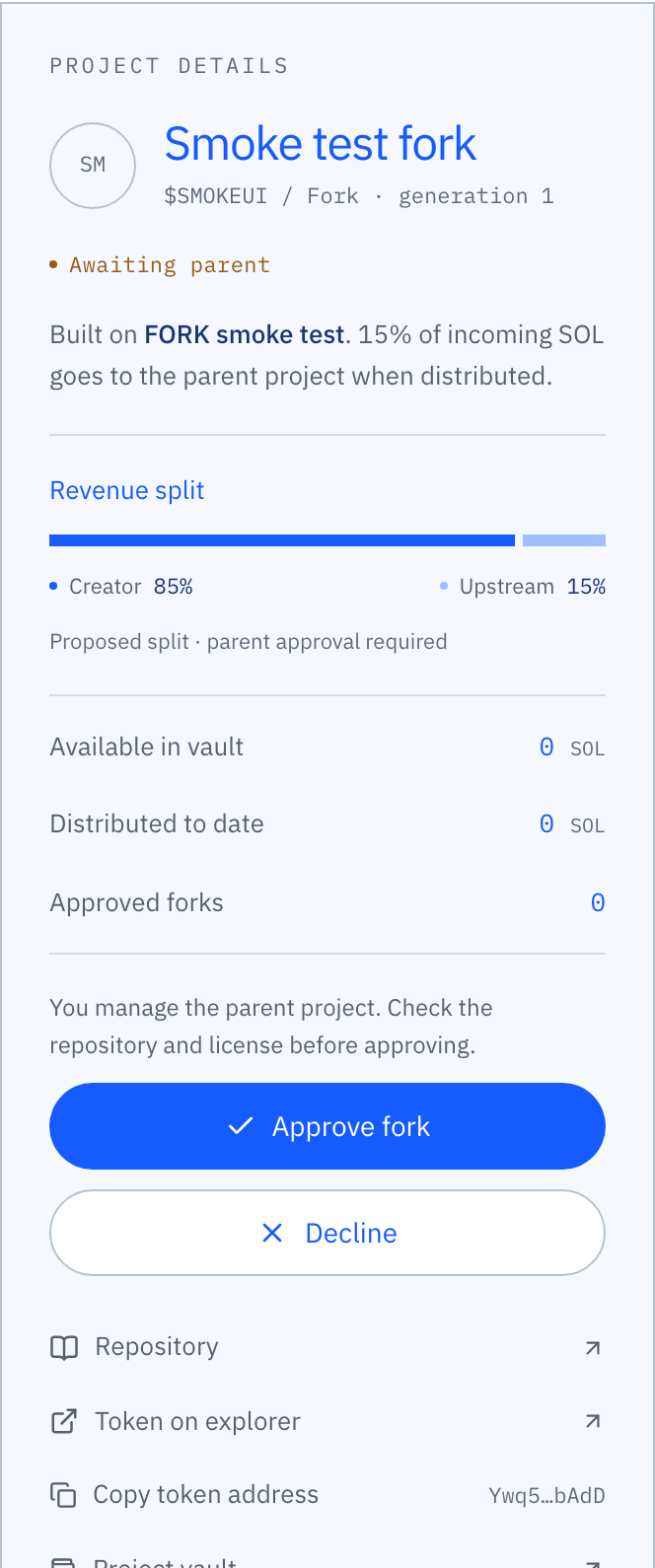
When a fork names one of your projects as its parent, the Approvals tab shows a count. Open it to see every pending request for your projects. Open a request to inspect its repository, license and proposed share on its page.
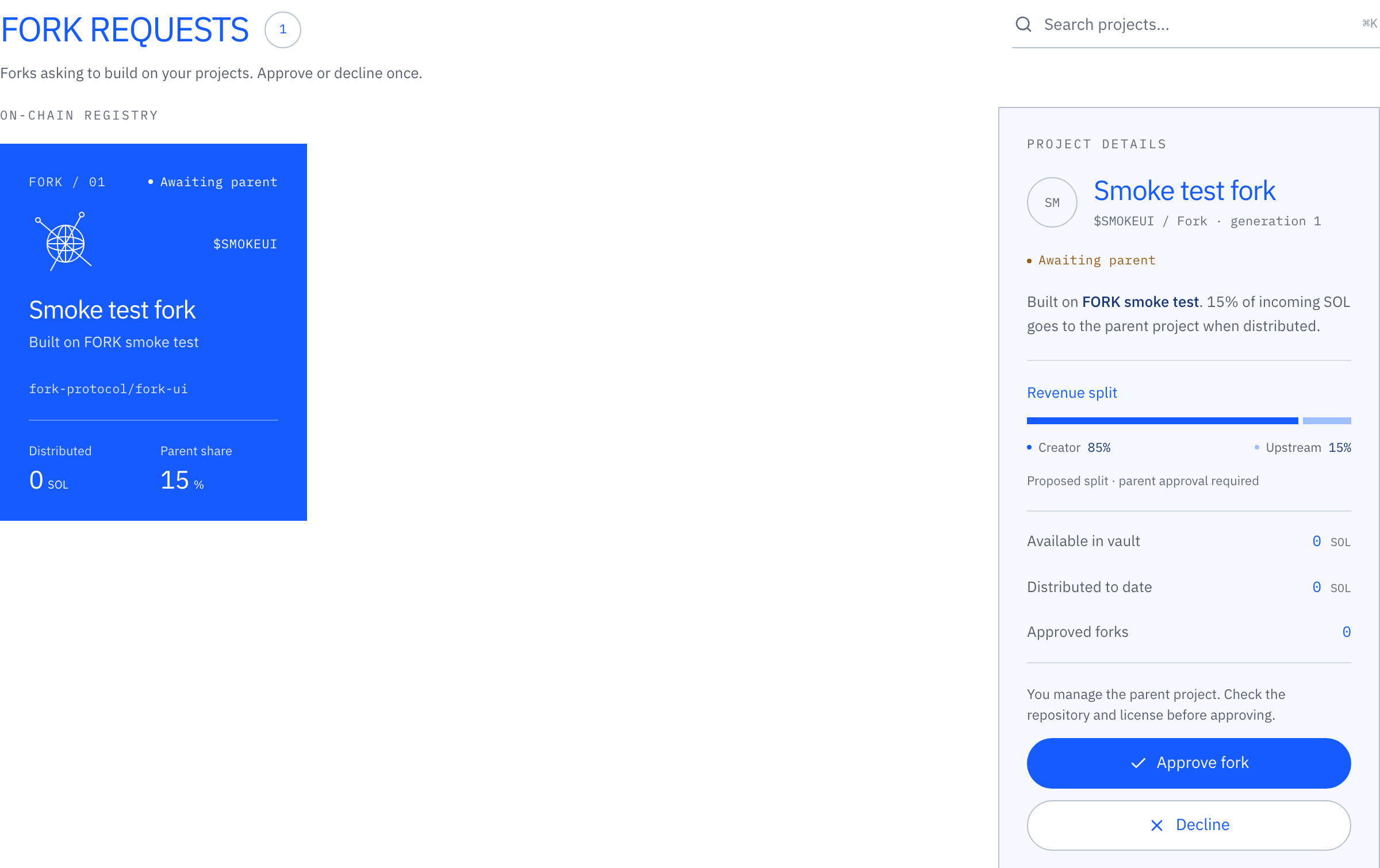
Approve fork or Decline sends a transaction signed by the parent creator’s wallet. The decision is final and can only be made once. Approving acknowledges the relationship and the split; it is not an endorsement of the project’s code or prospects.
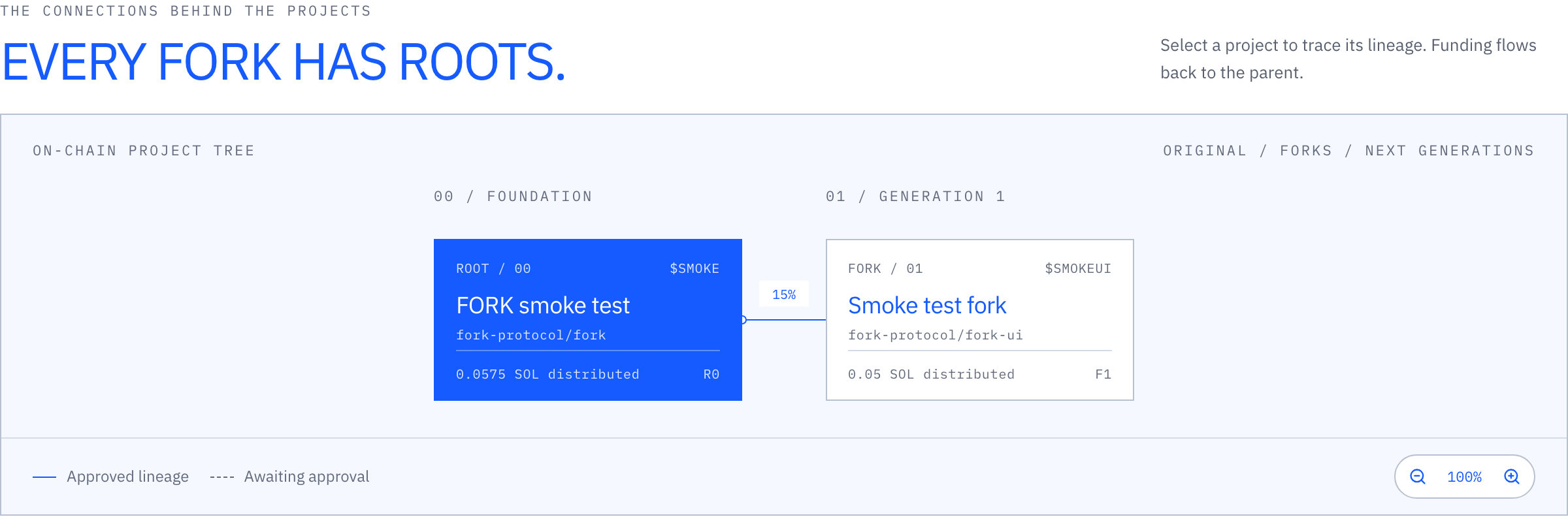
Lineage, your projects and the theme.
Below the explorer, the lineage graph draws every project and its approved forks as a tree. Click a node to select it; use the zoom buttons for large trees.
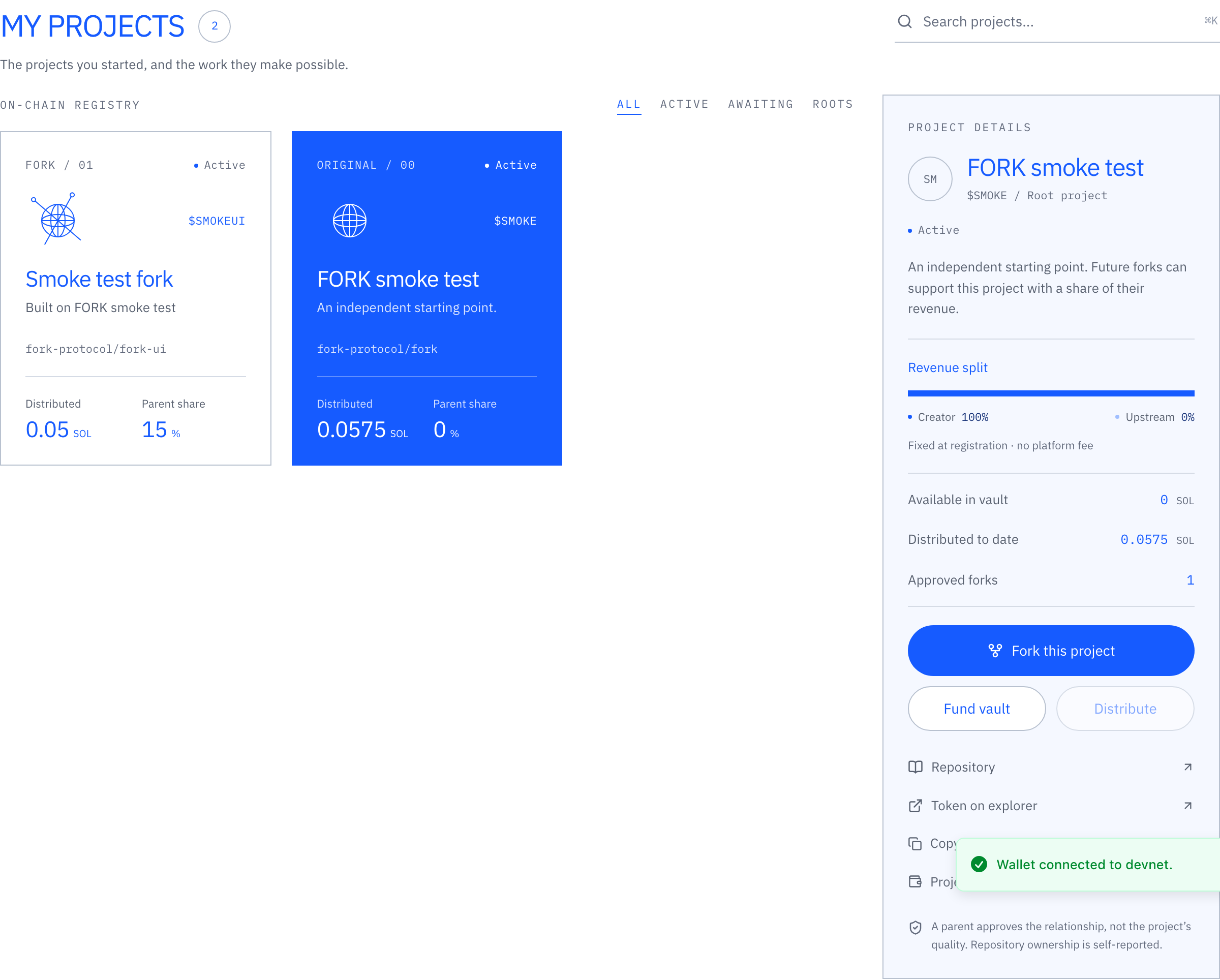
My projects lists the projects created by the connected wallet, roots and forks alike, so you can find your own vaults quickly.
The moon and sun button in the navigation bar switches between the light and dark theme. The choice is kept in your browser.
Create a project or propose a fork.
For the live flow, use a Solana wallet on devnet and obtain test SOL from the Solana faucet. The registry must be deployed before the app can submit project transactions.
| Field | What to enter |
|---|---|
| Project name | A name of up to 48 UTF-8 bytes. Multibyte characters use more than one byte. |
| Symbol | 1–12 uppercase letters or digits. |
| Repository | A public GitHub repository, in the form https://github.com/owner/repo. Use the repository URL without a branch, query or fragment. |
| Parent | No parent for a root project; an existing active project for a fork. |
| Upstream share | 0% for a root. For a fork, choose 0.01%–50% in increments of 0.01%. This is a share of SOL received by the vault. |
| Token image | Optional PNG, JPG, WebP or GIF up to 2 MB. The app stores the image and a metadata JSON document and records the document’s HTTPS URL (up to 192 bytes) on-chain. |
The live form checks that the repository is public, is not archived and has an identifiable open-source license. The signing wallet declares that it controls the repository and has the necessary rights. Repository ownership is self-reported. A GitHub lookup does not prove ownership or license compatibility.
Review the name, parent, share and wallet carefully. The V1 registration has no edit, delete or account-close operation. A new project can only reference an existing active parent, with a maximum depth of eight relationships from a root.
The parent gets a say.
A root project is active immediately after registration. A fork starts pending and appears in the Approvals view for the parent creator’s wallet. That wallet can approve or decline the proposal once.
| Status | What is available | Next step |
|---|---|---|
| Pending | The proposal can be inspected. Program funding and distribution are disabled. | The parent creator approves or declines. |
| Active | Funding, distribution and new fork proposals are enabled. | The relationship and split stay fixed. |
| Rejected | Funding and distribution remain disabled. | Final state. New terms require a new registration. |
Before approving, inspect the repository, the upstream license and the proposed share. Approval acknowledges the relationship and split. It does not certify the project’s authorship, quality or financial prospects.
Revenue moves up the tree.
Incoming SOL stays in the project vault until a distribution transaction runs. The program sends the upstream share to the parent vault and the remainder to the creator wallet. A root has no parent, so its creator receives the full distributable amount.
floor(available lamports × share bps ÷ 10,000)The creator receives the remainder. Account rent stays in the vault. One basis point is 0.01%; one SOL is 1 billion lamports.
A 1 SOL example
A fork receives 1 SOL and shares 20% with its parent. That parent shares 10% with a root project.
| Recipient | Calculation | Receives |
|---|---|---|
| Fork creator | 1 SOL × 80% | 0.80 SOL |
| Parent creator | 0.20 SOL × 90% | 0.18 SOL |
| Root creator | 0.20 SOL × 10% | 0.02 SOL |
These shares apply to SOL entering the vault. They do not apply to total trading volume or to all tokens held by a creator. This version demonstrates direct funding. Trading fees require a separately configured fee source.
Who triggers distribution?
Anyone can trigger it and pay the transaction fee. The caller cannot substitute recipients or percentages. The app prepares the selected project and its ancestors in order. There is no background keeper in this release.
Fees and accounting
FORK takes a 0% platform fee. Solana network fees and account rent still apply. “Available in vault” excludes rent. “Distributed to date” is the gross amount moved out of that project’s vault, including its upstream share. Adding distributed totals across a lineage would count some funds more than once.
What a project token represents.
The current live creation flow registers a project and creates an ordinary SPL token in one transaction. The token mint is the unique identifier used to derive the project’s registry account.
Minting authority is revoked in that transaction, and no freeze authority is set. The flow does not create a market or provide liquidity, a price or a market cap.
Token ownership does not confer ownership of the source code, voting rights or rights to vault revenue. The recorded creator wallet and parent vault receive distributions.
Contracts and guarantees.
Fe6bbmtEz987HwupMngTvQVR1yFjy98Nx3Sx86enrna8View executable account on Solana ExplorerEach project uses a program-derived account (PDA) with seeds project and the token mint. That account holds both the registry data and the SOL vault balance. The account is 640 bytes and starts with the discriminator FORK0001; the remaining state uses Borsh encoding.
| Instruction | Authorization and effect |
|---|---|
Register · 0 | Creator and mint signatures required. Creates a root or a pending fork with fixed metadata, recipients and share. |
Decide · 1 | Only the parent creator can accept or reject a pending child. A decision is final. |
Fund · 2 | The payer signs a positive native-SOL transfer. The project must be active. |
Distribute · 3 | Permissionless. Pays only the recorded creator and parent, applies the split and retains rent. |
The program validates account ownership, PDA derivation, mint ownership, signatures, status, parent relationships, recipients and arithmetic. It prevents cycles by requiring an existing active parent at registration. There is no platform withdrawal instruction.
Repository ownership and licensing are not verified on-chain. The program also has no instruction to recover SPL tokens sent to its vault, refund registration rent or release funds from an inactive project.
Validation and deployment status
The compiled program passed 15 integration checks in LiteSVM and three Rust unit tests. Five interface test groups passed in a DOM test environment. These checks cover consent, unauthorized recipient changes, exact multigeneration distribution, rent retention and wallet handling. They are not an independent security audit.
The registry is configured for devnet. Inspect the deployed program and its upgrade authority before using it. Recipient immutability describes the current program’s instructions. An upgrade authority, if retained on deployment, can replace program code.
Where Pump fits.
The intended connection routes a coin’s creator fees into its FORK vault. FORK then applies the project’s upstream split when distribution runs.
Unsigned builders using the official Pump SDK are prepared for root-coin creation, fee-sharing configuration and creator-fee collection. They do not sign or broadcast transactions. They are not enabled in the app and have not been validated against a deployed Pump program.
The proposed fee route assigns 100% of a coin’s creator-fee allocation to its FORK vault. This is not 100% of trading fees. Finalizing Pump’s fee shares is a separate, irreversible operation. Fork launches need a consent flow before this integration is activated.
Only native SOL is supported by FORK’s current vault. Non-SOL fee routes must not be connected to it.
Official Pump creator-fee documentation